Run the whole organization from one place.
Applications, dues, slips and lockers, work hours, board votes, and the books. Passage Ops handles the paperwork so your volunteers can get back to what they signed up for.
Social & Boat Clubs
Slips, lockers, and parking with a visual layout editor. Work-hour requirements, seniority, and fleet records.
Spaces · Boats · Work Logs
Fraternities & Sororities
Rush applications with stages and committee review, chapter groups, officer ballots, and alumni email segments.
Applications · Chapters · Voting
Chambers & Associations
Tiered membership types with separate dues, a public site and blog, event calendars, and campaigns segmented by tier.
Tiers · Website · Email
HOAs & Community Orgs
Resident directories, assessment billing, board votes, document storage for bylaws and minutes, and maintenance request forms.
Billing · Documents · Forms
Inside the software
Your whole roster, on one screen.
Filter by membership type, see status and dues at a glance, and open a member for their full history — applications, payments, spaces, and status changes.
Dues & Applications
Dues that collect themselves.
Stop chasing checks every renewal season. Members pay by card or bank account, renewals bill on the dates you set, and every payment lands on the member's record.
- Automatic renewals
- Bill annually, semi-annually, quarterly, or monthly, with separate rates for each membership type.
- Initiation fees in installments
- Charge an initiation fee up front or let new members spread it over several payments.
- Online applications
- Prospects apply on your website, move through your review stages, and become members when the board approves.
- Changes handled fairly
- When a member switches types, choose whether to settle the difference now, refund it, or wait until renewal.
Spaces
Every slip, locker, and parking spot on one map.
Draw your docks, lockers, and lots in the layout editor, then see at a glance who holds each space and what's still open. Members can request and book spaces themselves, and admins approve from anywhere.
Work Hours & Seniority
Know who pitched in.
If your members owe work hours, they log them from their phones and see how far they have to go. Admins get the totals without a clipboard.
- Required hours by type
- Set a yearly requirement for each membership type and see who's on track.
- Shifts that log themselves
- Schedule work parties and event shifts, send reminders, and count completed shifts toward each member's hours.
- Seniority that keeps count
- Seniority builds as members meet their hours each year, and it sits on every member record when it matters.
AI Knowledge Base
Members ask.
Your bylaws answer.
Add your bylaws, house rules, and policies to the knowledge base. Members ask about dues, guests, elections, or anything else your documents cover, and get answers drawn only from them.
- Answers cite their sources
- Each answer lists the bylaws and policies it drew from, so members can check the source.
- It says when it doesn't know
- If your documents don't cover a question, the assistant says so instead of guessing, and it points out when two documents disagree.
- Questions stay private
- Only the member who asked can see the conversation. Not even admins can read it.
Knowledge Assistant
Answers from 12 documents in the knowledge base
Dana Reyes Today 9:41 AM
Can the board raise dues without a member vote?
Knowledge Assistant Today 9:41 AM
No. A dues increase needs a two-thirds vote of the members present at a general meeting [1]. The board has to announce the proposed amount at least 30 days before that meeting [1].
If the increase passes, the new rate starts with the next billing year [5].
Sources
- [1] Bylaws (2025 revision)
- [5] Dues & Billing Policy
Accounting
Books that keep up with you.
Dues, fees, and Stripe payouts post to a full double-entry ledger as they happen, with bills, bank reconciliation, budgets, and financial reports built in. Invite your accountant with a login that opens the books and nothing else.
iPhone & Android apps
Your organization, in every pocket.
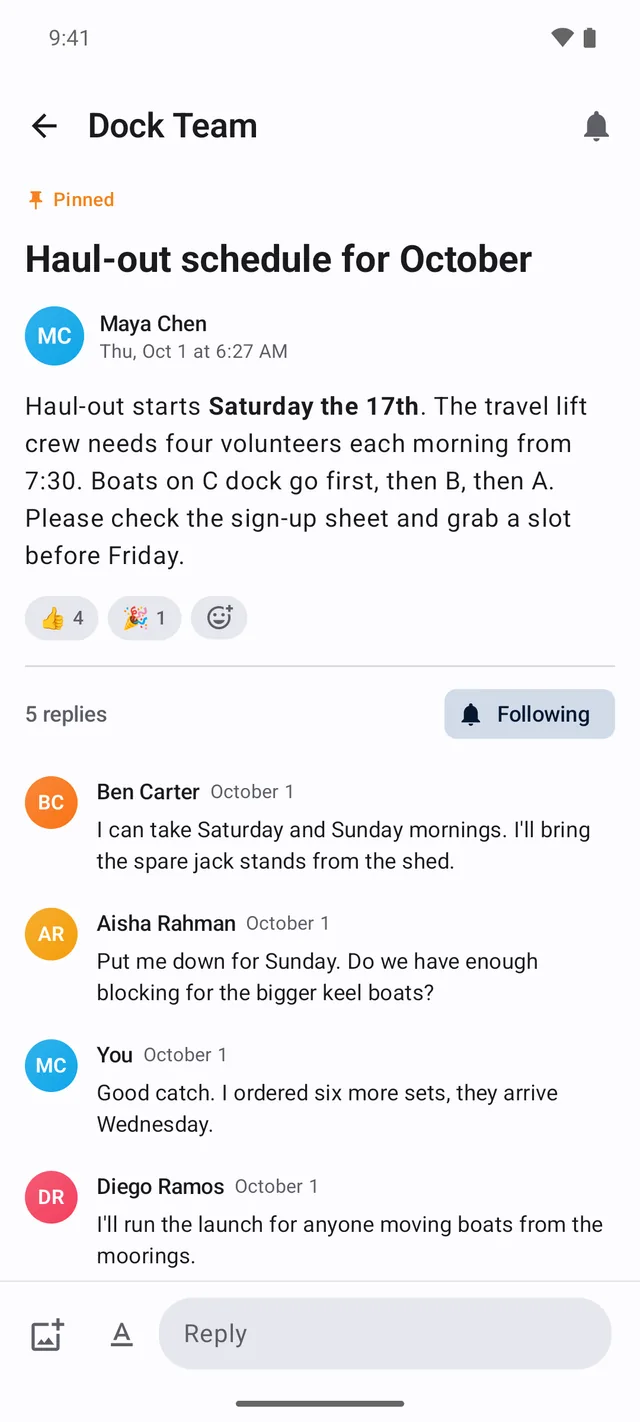
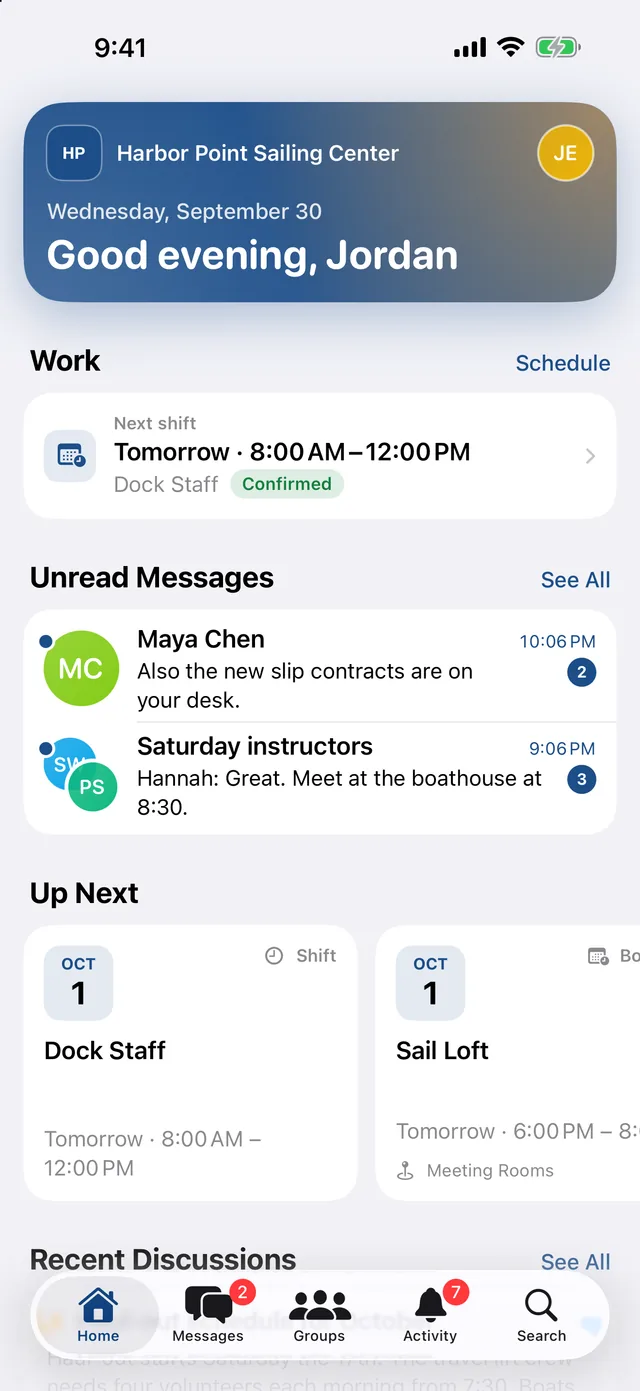
Members book spaces, follow discussions, check their shifts, and ask the knowledge base from native apps for iPhone, iPad, and Android.


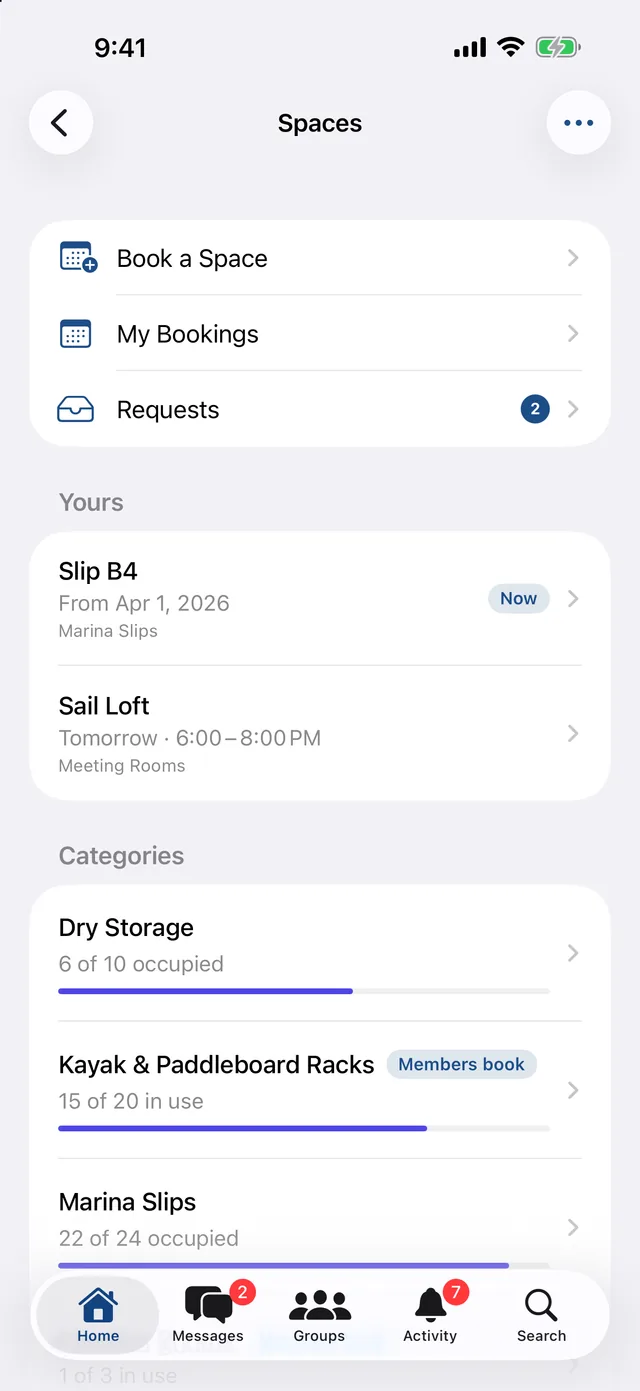
- Book in a few taps
- Members reserve rooms, racks, and slips, and admins approve requests right from their phones.
- Discussions that find them
- Members follow the threads they care about and get a notification when someone replies.
- The bylaws, a question away
- The knowledge assistant comes along in the app, ready for questions about dues, guests, or anything else your documents cover.
Integrated with Passage Ticketing
Your organization puts on events. Your software should sell the tickets.
Galas, fundraisers, festivals, regattas — membership organizations are event organizations. Most membership software bolts on a clunky RSVP form and calls it ticketing. Passage Ops is directly integrated with Passage Ticketing, a full-featured event ticketing platform, so your biggest nights run on real box-office tools.
Real ticketing, not an RSVP form
Online sales and day-of tools from a platform built for ticketing first — not a directory feature added as an afterthought.
Sell beyond your roster
Open your fundraisers and festivals to the whole community — ticket buyers don't have to be members.
One connected back office
The event's volunteers, expenses, and records live in the same system as your membership — no copying lists between platforms.
Modular by design
The whole toolkit.
Most tools are on from day one, and any of them can be switched off or back on at any time.
Communication & Collaboration
-
Groups
Discussions and updates for committees and teams.
-
Chat
Real-time direct and group messages.
-
Events & Calendar
Public and members-only events on one calendar.
-
Project Management
Boards with tasks, owners, and due dates.
-
File Management
Folders and documents, shared inside groups.
-
Polls & Voting
Ballots with ranked choice and anonymous voting.
-
Forms
Custom forms for members or the public.
-
Knowledge Base
AI answers drawn from your own documents.
People & Operations
-
CRM
A directory of people, positions, and interactions.
-
Membership
Member records, types, applications, and dues.
-
Work Logs
Volunteer and work hours, with totals and reports.
-
Scheduling
Shifts with confirmations and reminders.
-
Expense Tracking
Receipts, reimbursements, and approvals.
Website & Outreach
-
Website & Blog
A public site with pages, a blog, and photos.
-
Email Campaigns
Templated emails, sent to segments of your members.
-
Inquiries
Contact-form messages, assigned and tracked.
-
Store
A catalog of products with options, member pricing, and stock.
Facilities & Resources
-
Space Management
Slips, rooms, and other spaces to assign or book.
-
Boat Management
Boats, owners, and dimensions on record.
Finance
-
Accounting
A chart of accounts, bills, bank reconciliation, and reports.
Give your board its evenings back.
A 30-day free trial, no contracts, and your roster imported in minutes.