Passage Ops
Run the whole thing
from one place.
Whether you organize events or run a club, Passage Ops is the back office that ties it together — ticketing operations, membership, website, email, and every tool in between.
June 12, 2026
Good morning, Dana
1 task overdue
Two kinds of organizations. One system underneath.
The back office behind the ticket sale.
For teams on Passage Ticketing: plan the event, staff the gates, route vendor and comp requests, track expenses, and close out with a clean record.
Passage OpsSchedule
Week of June 15, 2026
Mon
Jun 15
Tue
Jun 16
Wed
Jun 17
Thu
Jun 18
Fri
Jun 19
Sat
Jun 20
Sun
Jun 21
Ana Ruiz
8:00 AM - 4:00 PM
Box Office
Confirmed
+ Add shift
Marcus Webb
10:00 AM - 6:00 PM
Load-in
Scheduled
+ Add shift
Thanh Nguyen
7:00 AM - 3:00 PM
Site Build
Confirmed
Jordan Cole
3:00 PM - 11:00 PM
Site Build
Scheduled
+ Add shift
Priya Shah
9:00 AM - 5:00 PM
Vendor Check-in
Scheduled
+ Add shift
No shifts
+ Add shift
Dana Reyes
6:00 AM - 2:00 PM
Gate
Confirmed
Sam Vega
2:00 PM - 10:00 PM
Gate
Confirmed
+ Add shift
Kim Park
8:00 AM - 2:00 PM
Strike
Scheduled
+ Add shift
Membership management, end to end.
For clubs, fraternities, chambers of commerce, and HOAs: dues, applications, spaces and slips, and member voting — plus a place for members to belong.
Passage Ops for ClubsiPhone & Android apps
Your whole operation, in your pocket.
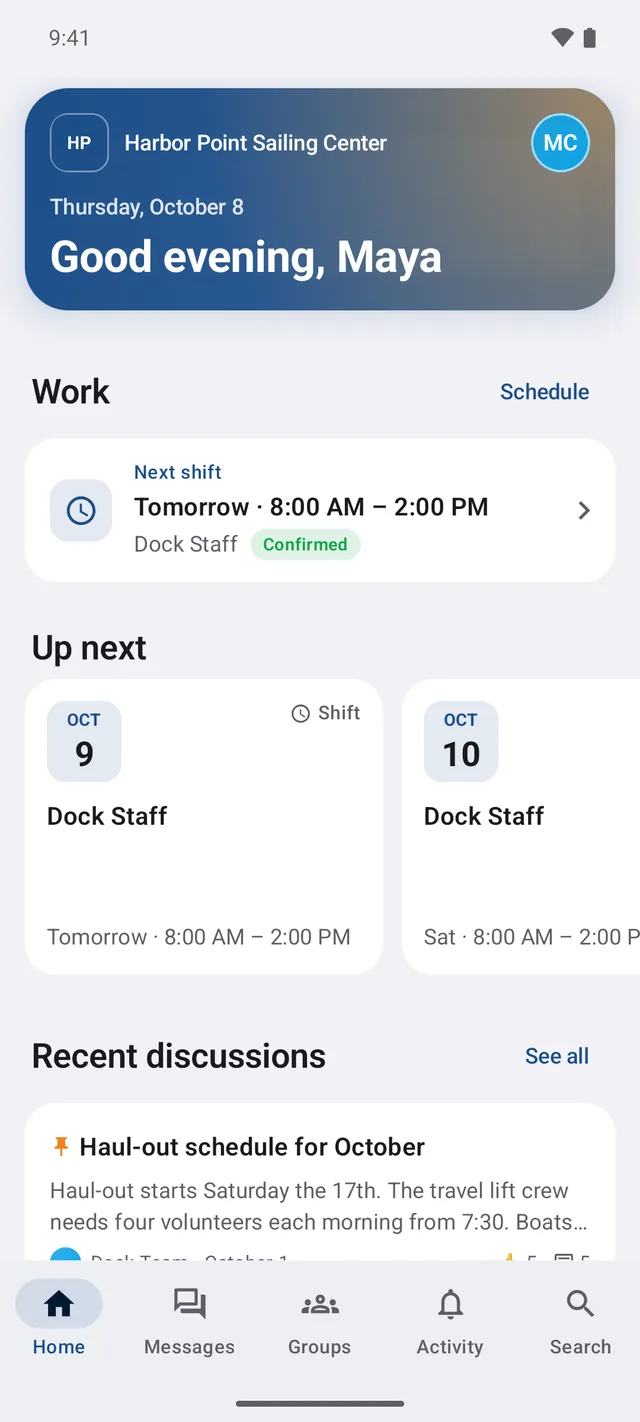
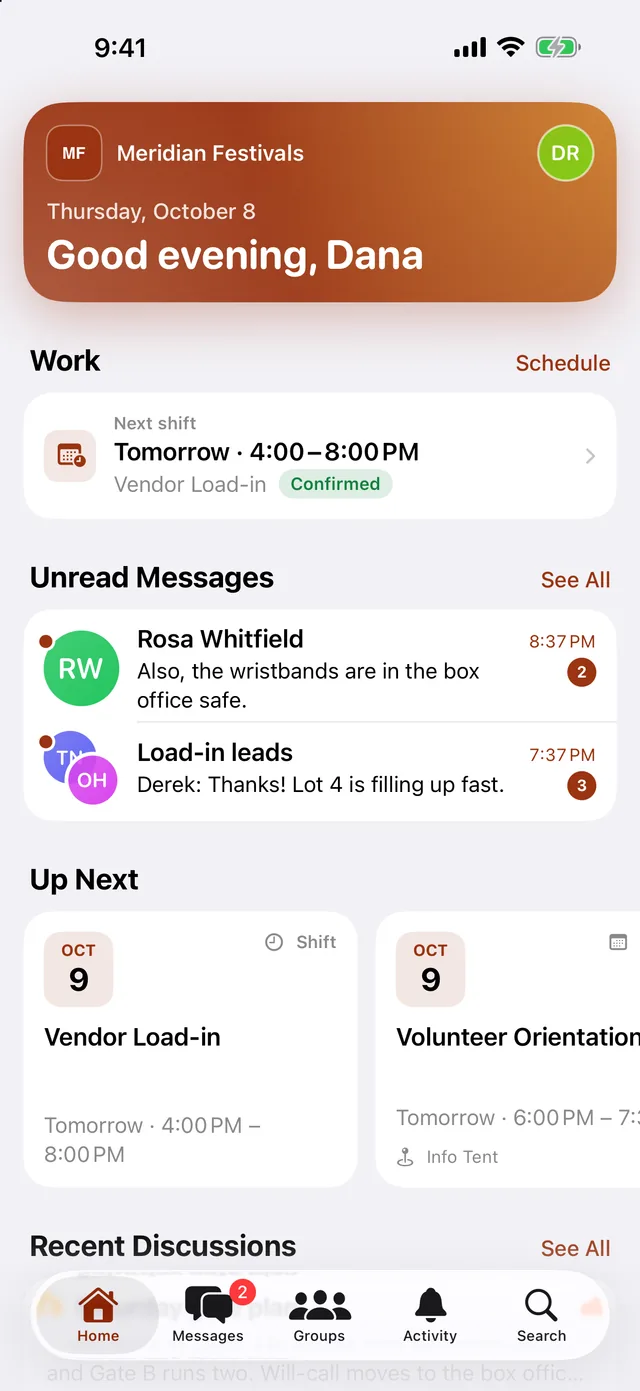
Native apps for iPhone, iPad, and Android give members, staff, and volunteers their shifts, messages, discussions, bookings, and expenses, with a notification the moment something needs them.


- A notification when it matters
- Messages, replies, shift changes, expense approvals, and booking requests arrive as push notifications.
- Receipts on the spot
- Scan a receipt with the phone's camera and submit the expense before it gets lost.
- Your name, logo, and colors
- Each organization's own look carries through the app, so it feels like theirs.
AI Knowledge Base
Your people ask.
Your documents answer.
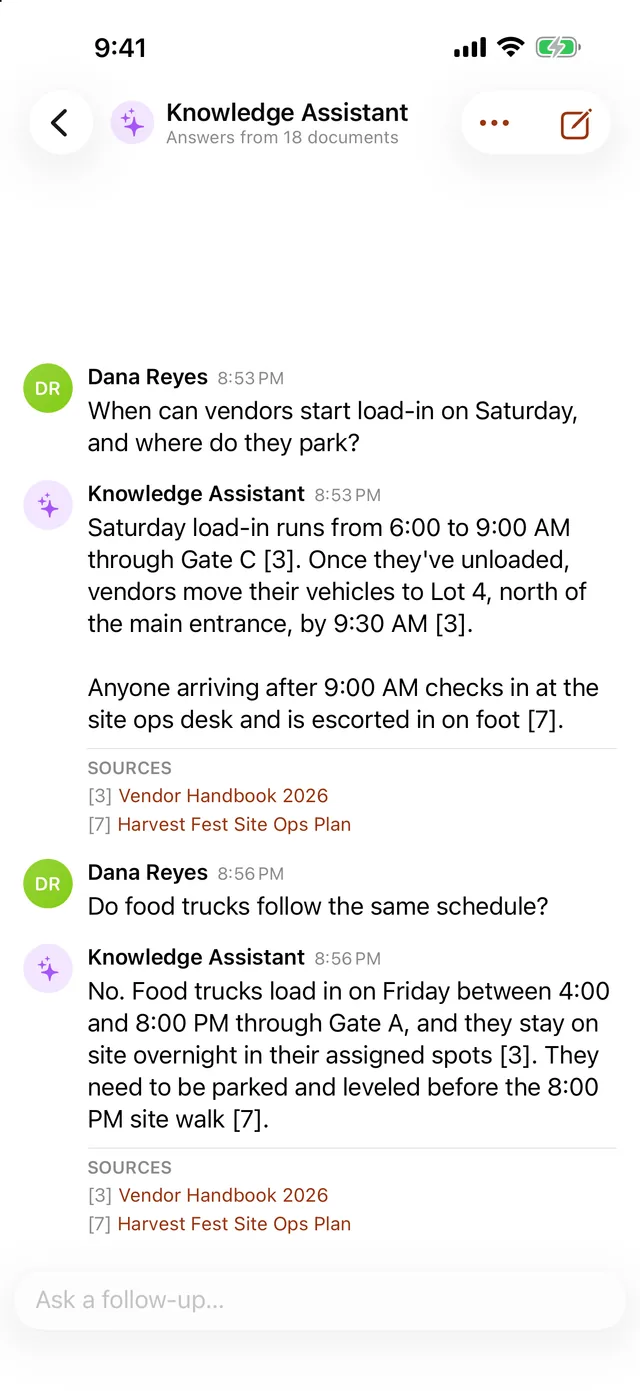
Admins choose which handbooks, bylaws, and policies go into the knowledge base. Anyone in your organization can then ask a question in plain language and get an answer drawn only from those documents.
- Answers cite their sources
- Each answer lists the documents it drew from, so anyone can check the details.
- It says when it doesn't know
- If your documents don't cover a question, the assistant says so instead of guessing, and it points out when two documents disagree.
- Questions stay private
- Only the person who asked can see a conversation. Not even admins can read it.
Knowledge Assistant
Answers from 9 documents in the knowledge base
Dana Reyes Today 9:41 AM
Do setup shifts count toward my volunteer hours?
Knowledge Assistant Today 9:41 AM
Yes. Setup and teardown shifts for organization events count toward your volunteer hours [2]. Committee meetings don't [2].
Active members need 20 hours a year, logged by November 30 [6]. Log each shift within 30 days so your shift lead can approve it [2].
Sources
- [2] Volunteer Handbook
- [6] Bylaws (2025 revision)
Accounting
Books that keep up with you.
Invoices, processing fees, and payouts post to a full double-entry ledger as they happen, with bills, bank reconciliation, budgets, and financial reports built in. Invite your accountant with a login that opens the books and nothing else.
Modular by design
The whole toolkit.
Most tools are on from day one, and any of them can be switched off or back on at any time.
Communication & Collaboration
-
Groups
Discussions and updates for committees and teams.
-
Chat
Real-time direct and group messages.
-
Events & Calendar
Public and members-only events on one calendar.
-
Project Management
Boards with tasks, owners, and due dates.
-
File Management
Folders and documents, shared inside groups.
-
Polls & Voting
Ballots with ranked choice and anonymous voting.
-
Forms
Custom forms for members or the public.
-
Knowledge Base
AI answers drawn from your own documents.
People & Operations
-
CRM
A directory of people, positions, and interactions.
-
Membership
Member records, types, applications, and dues.
-
Work Logs
Volunteer and work hours, with totals and reports.
-
Scheduling
Shifts with confirmations and reminders.
-
Expense Tracking
Receipts, reimbursements, and approvals.
Website & Outreach
-
Website & Blog
A public site with pages, a blog, and photos.
-
Email Campaigns
Templated emails, sent to segments of your members.
-
Inquiries
Contact-form messages, assigned and tracked.
-
Store
A catalog of products with options, member pricing, and stock.
Facilities & Resources
-
Space Management
Slips, rooms, and other spaces to assign or book.
-
Boat Management
Boats, owners, and dimensions on record.
Finance
-
Accounting
A chart of accounts, bills, bank reconciliation, and reports.
Bring the whole operation into Passage Ops.
Start free. Grow into the rest.